
Documentation › Audio Tracks
Audio Description
Audio description is a narrated soundtrack that describes what is happening on screen between the lines of dialogue for people who are blind or visually impaired.
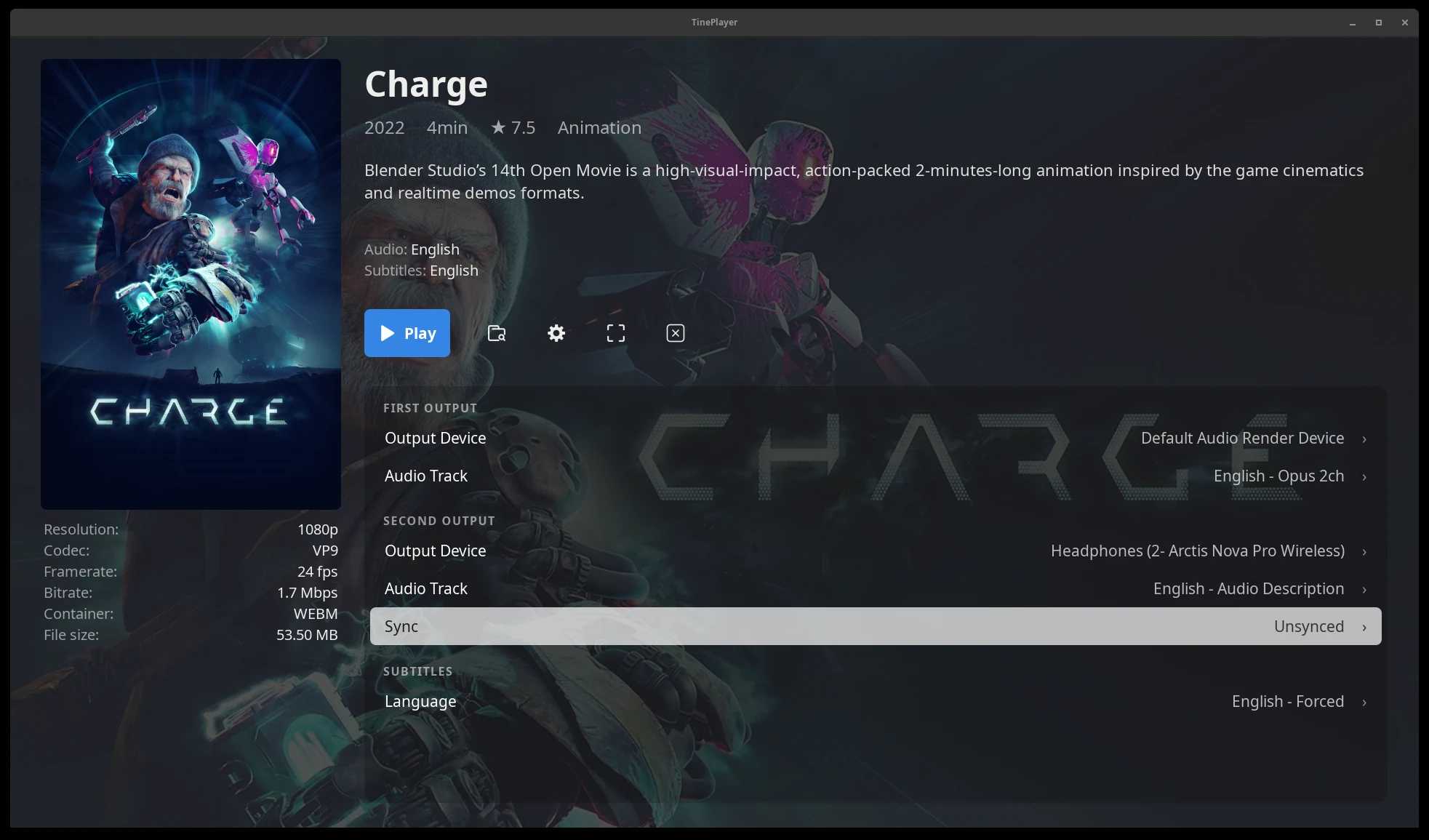
TinePlayer supports audio description tracks in two ways:
Embedded in the Video
Some video files carry a described soundtrack alongside the original audio track. Files ripped from DVD and Blu-ray are the most common source. Embedded described tracks appear in the Audio Track list like any other track, usually named something with "Description", "Described" or "AD" in it.
As an External Audio File
Commonly, audio description is a separate audio track, such as those found on AudioVault. TinePlayer can play an external audio file on either output and can automatically sync it with the video.
Watching on Your Own
Watching with a second audio output is not required. With the first output set to the description and the second set to None, TinePlayer plays the video with the described soundtrack and nothing else.
Choosing Tracks Automatically
Set Settings › Outputs › Prefer Audio Description on and TinePlayer will attempt to auto select described tracks when detected.
A described track is recognized from track metadata or by matching keywords in the name such as: "description", "described", "descriptive", "narration", "visually impaired", "visual impaired", "impaired vision", or "AD".
Next: Choosing subtitles - embedded tracks and external files.